'%20fill='%2338E038'/%3e%3crect%20x='93.0511'%20y='800.227'%20width='100'%20height='720'%20transform='rotate(-115.5%2093.0511%20800.227)'%20fill='%2365E765'/%3e%3crect%20x='700'%20width='100'%20height='800'%20fill='lightgreen'/%3e%3crect%20width='100'%20height='800'%20fill='lightgreen'/%3e%3c/svg%3e)
Quick Edit Routecard
In order to quick edit a routecard head to routecard.org. If you are not yet logged in click "Get Started".
Once logged in you will be presented with a page which shows all your existing routecards. Pick the routecard you wish to quick edit and click the orange "Edit" button.
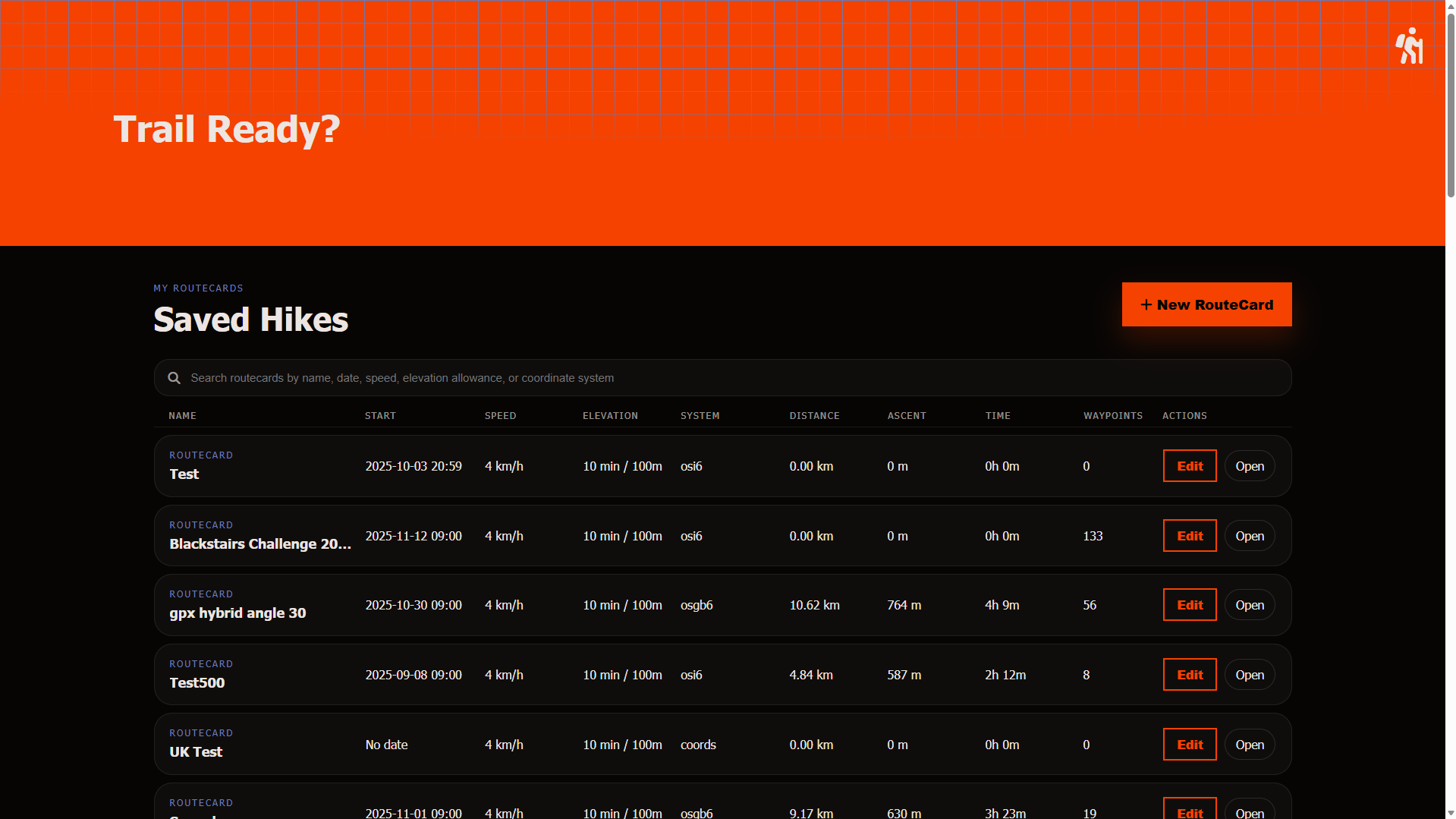
This will then bring up a popup which allows you to edit all your routecard properties.
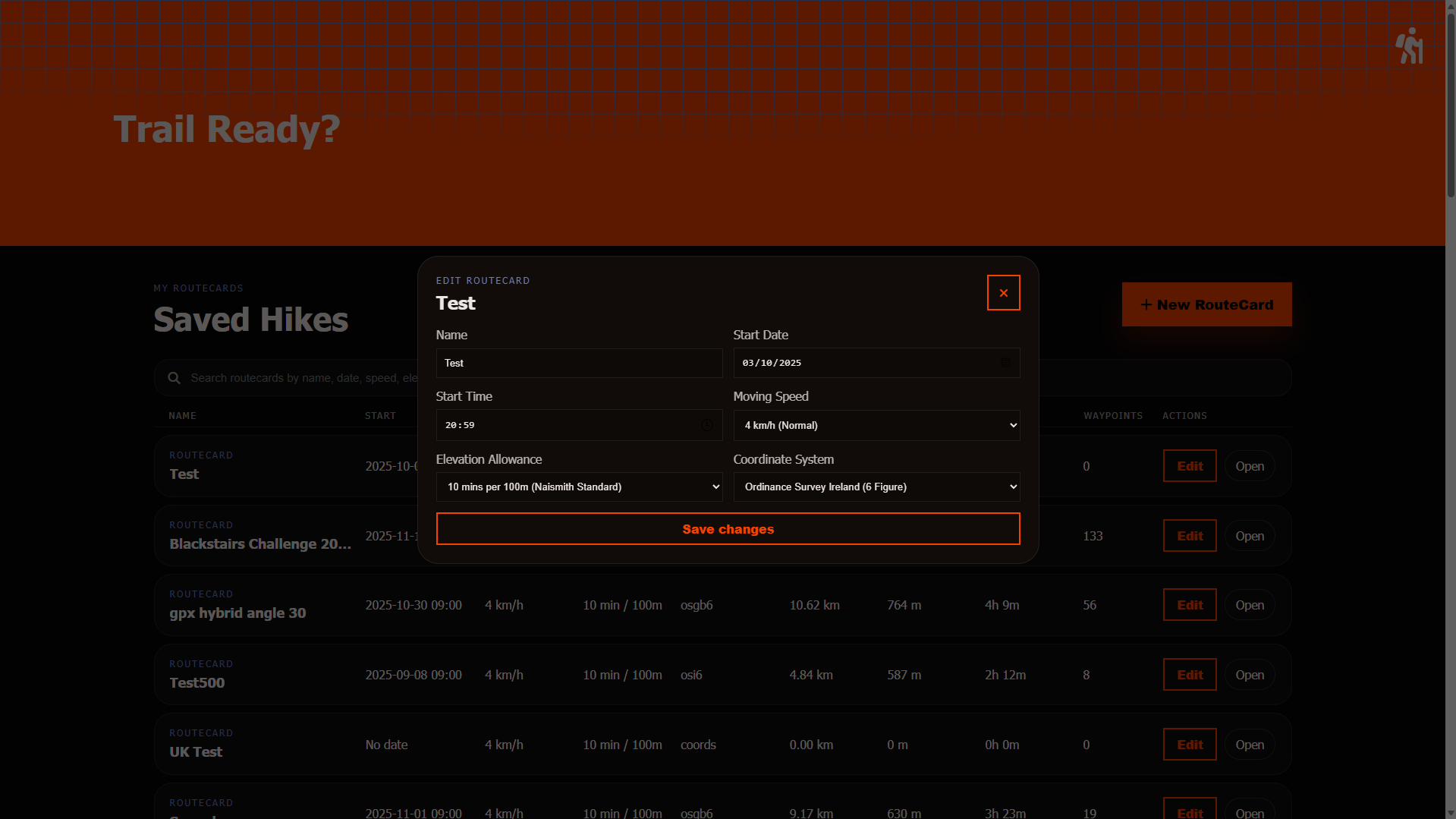
| Input | Description |
|---|---|
| RouteCard Name | The identifying name for your routecard, can be called anything you wish. |
| Start Date | The starting date of your activity, used for calculating weather and magnetic declanation. |
| Start Time | The starting time of your activity, used for calculating weather and magnetic declanation. |
| Moving Speed (Flat) | Your standard moving speed on flat terrain, used for estimating hike duration. |
| Elevation Allowance | The time allowance for ascending, used for more accurate time estimates. |
| Coordinate Systems | The coordinate or grid reference system used for your waypoints, we support global systems aswell as country specific grid reference systems. You can see the full list of supported systems here. |
Once you've made your changes and you're happy with them click "Save changes".