'%20fill='%2338E038'/%3e%3crect%20x='93.0511'%20y='800.227'%20width='100'%20height='720'%20transform='rotate(-115.5%2093.0511%20800.227)'%20fill='%2365E765'/%3e%3crect%20x='700'%20width='100'%20height='800'%20fill='lightgreen'/%3e%3crect%20width='100'%20height='800'%20fill='lightgreen'/%3e%3c/svg%3e)
Add Waypoint Manually
Ensure you have your routecard open.
In the Waypoint Planner simply click to add a waypoint this can be in any random location.
Scroll down to the list of waypoints to see the one you just added.
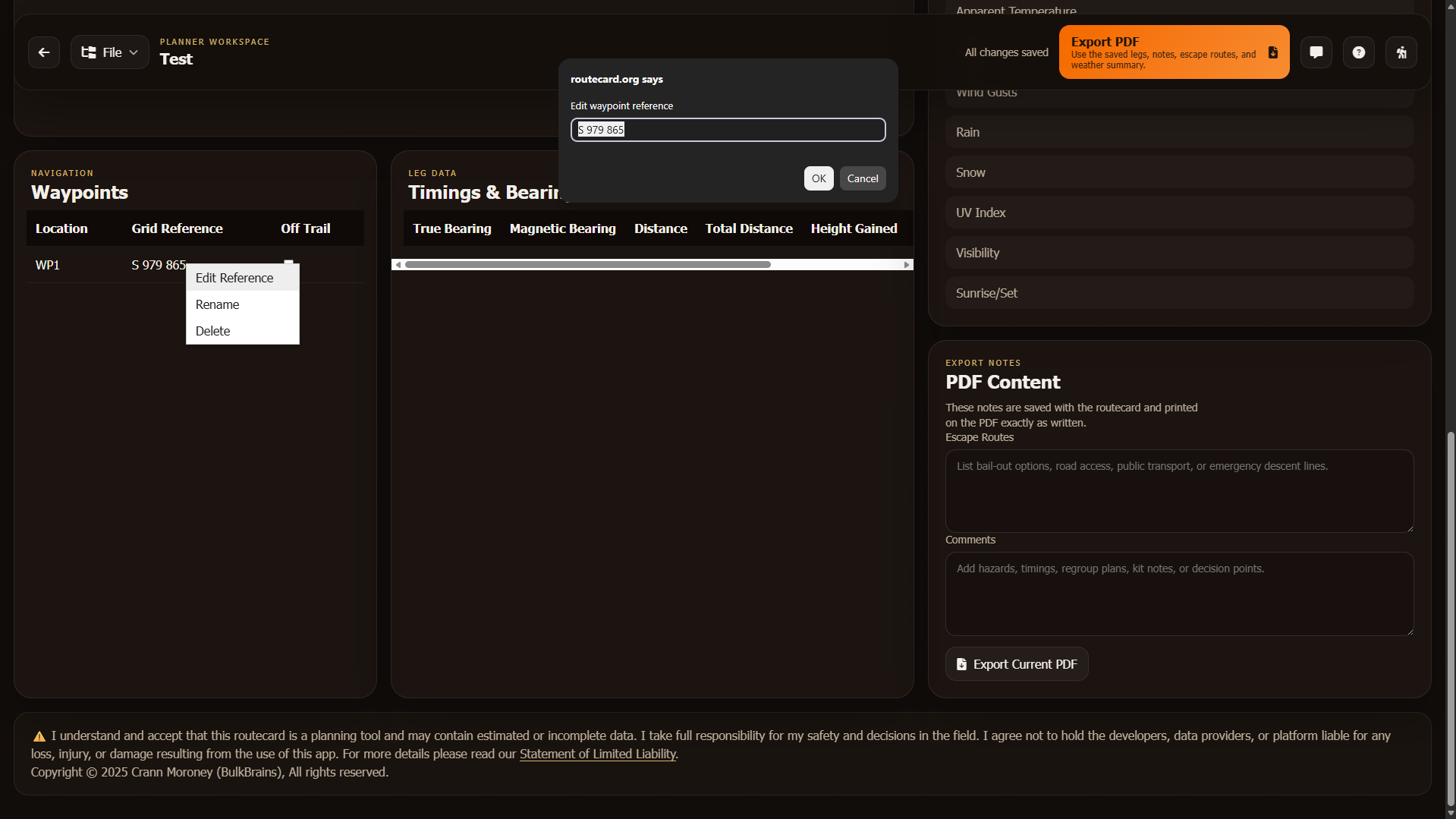
Right click on the waypoint you want to add manually and click "Edit Reference"
You will see a popup where you are able to type a grid reference or coordinates.
Warning: The format of the manually entered grid reference or coordinate must match the coordinate system of the entire routecard.